What is the Gladinet Cloud?
|
The Gladinet Cloud is a service that combines your cloud storage and local storage
into one unified namespace. This creates a single management scope to manage how
users access private and shared storage. It also allows for automatic provisioning
of users with home directories and storage quotas.
|
What can I centrally manage?
|
You will be able to centrally manage your cloud storage users and their access to
cloud and local storage. You will also centrally manage your cloud and local storage
and their shared workspaces.
|
Can I choose different storage services?
Absolutely. If you have used Gladinet Cloud Desktop before, you will know that we
have a long list of supported services. In fact, another benefit of using our service
is that there will be no service interruption for your users if you want to switch
providers later. The initial release supports Amazon S3 and Openstack, but the list
will grow rapidly. Let us know which services you want to see first as that may
change the prioritization order.
Modified 2/27/2013 : The supported list of Cloud Storage Services now includes Google
Cloud Storage, Windows Azure Storage, OpenStack Swift w/ KeyStone, HPCloud Storage,
Nirvanix and EMC Atmos.
|
Can I set storage quotas per user?
|
Yes. When you create a user, you define how much storage they are allowed to use.
They will not be allowed to consume more than this. The Gladinet Cloud will automatically
provision a home directory in the cloud for this user.
|
Does you service address control, compliance and security?
|
Yes. Not only do we provide advanced encryption of your data and very secure
transmission, we also give you the option of keeping some data on your local file
servers. Gladinet Cloud provides the same remote access, sharing and control benefits
for these local folders as for those that have been moved to the cloud.
|
|
|
What are the benefits of combining cloud and local storage?
|
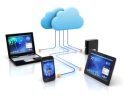
This feature allows your folders to become immediately accessible when you add them
to the Gladinet Cloud. You don't have to wait for the data to be uploaded. It also
give you the option of continuing to maintain a local copy of your data. In other
words Gladinet cloud extends the traditional cloud to include your local resources,
with the following benefits:
|
|

|
Published local folders are immediately accessible anywhere
|
|
|
Published folders are automatically backed up to the cloud
|
|
|
Centrally control remote access to folders published from cloud or local storage
|
|
|
No service interruption when you switch cloud providers
|
|
|
Maintain control of your data
|
|
How long will my cloud migration take?
|
This is a common question. The problem for many is that they have large data sets
with relatively small amount of bandwidth. This causes unbearably long waits before
data becomes accessible in the cloud. For example, let's say you have 10 TB (about
10,000 GB) of data and your upload speed is slightly more than 1 Mbps. It will take
you at least 2 hours to transfer 1GB or 20,000 hours to transfer all 10 TB. That's
over 2 years! Even with a fast connection of 10 Mbps, it will still take 83 days
to upload all that data. With Gladinet, this migration is instant! That is because
we allow you to combine your local and cloud storage. When you add a local folder
to our system, we provide remote access to it without waiting for the upload to
be completed.
|
What about Active Directory Integration?
|
You can add users from Active Directory through the Cloud Server Team Client as
a proxy. You can also add Active Directory users from LDAP integration.
|
What about Mac and Mobile Device Support?
|
Yes, there are Mac client, iOS, Android, and Windows Phone 8 client. |
How does Gladinet Cloud compare to Dropbox
The Dropbox solution is elegant in its simplicity and great for consumers. However,
our small business customers and service provider partners have asked for more flexibility
and control with centralized management. Gladinet Cloud meets those needs by adding
the following benefits to the Dropbox model:
|
|
|
|
Multiple "dropbox" folders
|
|
|
Immediate access with no waiting for lots of data to upload
|
|
|
Choose any cloud storage service
|
|
|
Centralized management with automatic provisioning and per user storage quotas
|
|
|
Manage local folders in parallel with cloud folders
|
|
|
Partner branding and customization
|
|
|
|
What is Your Cancellation Policy?
|
You can cancel at any time. There is no long term commitment.
|
I have a huge data set. How soon can I access it?
|
Immediately. This is another benefit of adding local servers. Folders shared from
them are immediately accessible whether they are 1 Gigabyte or 100 Terabytes. You
can always upload folders to your cloud storage, but then you have to wait before
they become available.
|
Should I Publish Local Folders and then Upload them to the Cloud?
|
It depends on your goals. If you want to eventually get rid of your file server,
then this is a viable strategy to provide immediate access while waiting for the
folders to be transferred. However, if you just want centralized access or a cloud
backup, then you don't need to upload the folders. Gladinet Cloud manages that for
you in the background.
|
How Secure is My Data?
|
We provide advanced encryption of your data and it is transmitted over connections
that are secured by industry standards. Additional security features depend on your
choice of storage service.
|
Can you service be branded?
|
Yes. Please send an email to partner@gladinet.com. We can rebrand all the user facing
elements and the service can be hosted on any servers.
|
Can You Provide Some Example Use Cases?
|
Mary is the IT administrator for the law school of a well-known university. There
are 50 staff members. Using Gladinet Cloud, she provided them with home directories
in the cloud for their individual needs. She also registered the law school's file
servers with the service and published their shared folders. Now the staff can access
their cloud home directory or the shared folders on the file servers from a drive
on their desktop using Gladinet Cloud Desktop - Team Edition. Several professors
also figured out that they can also add folders from their desktop to make them
accessible from any machine in any location.
|
|
|
|
|
|
|